NOTE: This is strictly not an advertisement!!!
The world as obviously known as a global village, we are connected across the globe through technology. It is quite distasteful if one is illiterate of technology now a-days.


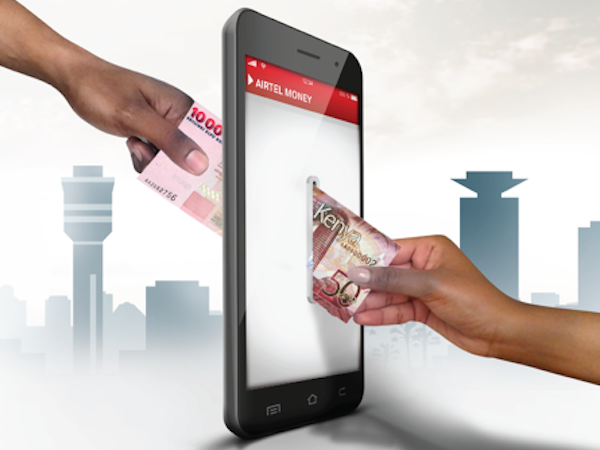
Why still go through the manual process of doing things when there is an easy way technologically.
Gone were the days where people stand in long ques to do transactions at the bank, thanks to technology, now you can sit in our comfort zone and do all your transactions at a go.
Mobile money school fees collection platform gives you the freedom to pay school fees in the comfort of your home, place of work or anywhere else through Mobile Banking, Over the Counter, Airtel and MTN Mobile Money using student codes.
Paying school fees is so much easier now with MTN MoMo and Airtel Money. You need not to visit the bank any longer.
MTN users ONLY
1. Dial *170#
2. Enter 2 MoMoPay& Pay Bill
3. Enter 2 for Pay Bill
4. Enter 3 for School Fees
5. Search for School by selecting either Alias by Name
6. Enter School alias or School name
7. Enter student ID
8. Enter Amount
9. Enter Reference
10. Enter MM PIN
11. You will receive Notification for successful payment
OPTION 2: MTN users ONLY
1. Dial *305# and select Pay Fees
2. Enter the student number and follow the prompts.
3. Notification for successful payment will be sent to the registered mobile number and the learning Institutions account is credited in real-time.
4. The school database will be updated instantly.
AIRTEL MOBILE MONEY
1. Dial *778# and Select Make Payments
2. Select school fees then select SchoolPay
3. Select pay fees, enter the student number and follow the prompts.
4. Notification for successful payment will be sent to the registered mobile
5. number and the learning Institutions account is credited in real-time.
6. The school database is updated instantly.
You can transfer funds from your bank directly to your MoMo account. You first have to connect your bank account with the MoMo account. Just follow these steps:
1. Dial *170#
2. Enter 5 for Financial Services
3. Enter 1 for Bank Service
4. Enter 2 for Transfer from Bank
5. Select Bank
6. Select Bank account
7. Enter Amount
8. Enter MM PIN
9. You will receive notification for a successful transaction
On the MoMo account also, you are allowed you to cash out at the ATM at all times. Follow these steps;
1. Dial *170#
2. Enter 5 for Financial Services
3. Enter 1 for Bank Service
4. Select 3 for ATM Cash Out
5. Select 1 to Generate Token
6. Enter Four-digit Secret Code
7. Enter Amount
8. Enter MM PIN
9. You will receive notification for a successful transaction, and it is good to go with.
You can also transfer funds from your bank directly to your MoMo account anytime anywhere. Just follow these steps:
1. Dial *170#
2. Enter 5 for Financial Services
3. Enter 1 for Bank Service
4. Enter 2 for Transfer from Bank
5. Select Bank
6. Select Bank account
7. Enter Amount
8. Enter MM PIN
9. You will receive notification for a successful transaction.
Becoming a momo merchant is a simple process. Simply follow the steps below to initiate your registration as a MoMo merchant.
Registration process
1. Dial *5051#
2. Select Register
3. Select the region
4. After registration is complete an SMS with a ref no will be sent to your number.
5. A MoMo agent will be dispatched to inspect your location
6. After passing inspection, fill and submit the following forms for processing
a. Merchant Recruitment Form
b. Merchant Account Handler Form
c. Merchant Agreement
I believe there piece of information has being useful to you, if so then hit the Follow button at the top to continue receiving more important information from this page.
Thanks for reading.
Share, like and Comment.



 LIFESTYLE ARENA
